Project 2
Software · active
WPA Desk
A strategy game and training simulator for writing program administration. You get three years at the desk of a fictional first-year writing program.
Process: Directed drafting3 rounds of revision
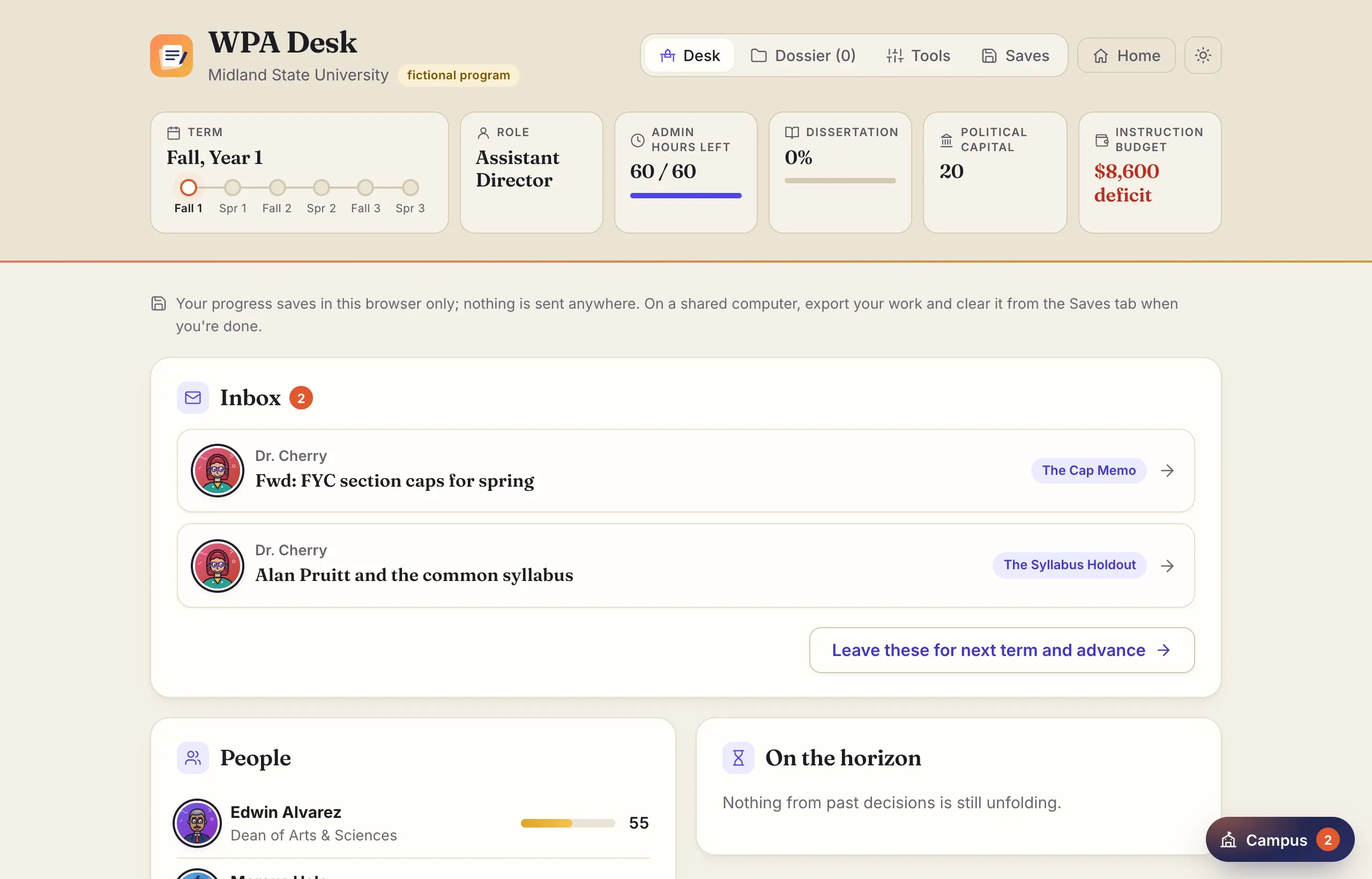
WPA Desk puts you in charge of a first-year writing program, or close to it. You’re a PhD student in rhetoric and composition who has just become the assistant director of first-year writing at Midland State University. Midland is fictional, but its program looks real: sixty sections a term, a budget already in deficit, and a lot of people who want things from you.
I’m building it as two things at once. It’s a strategy game, the kind where every choice costs something and the bill sometimes arrives a year later. It’s also a training tool for anyone interested in writing program administration: graduate students in a practicum or a WPA seminar, new administrators, and people who want to know what the job is actually like.
Play it in your browser → It’s free, with no account, and your progress stays in your browser.
How it plays
A playthrough runs three academic years, six terms. Each term, documents land on your desk. The dean wants to raise class caps to close a budget gap. A full professor won’t use the common syllabus. A parent’s grade complaint has reached the president’s office. Spring sections have no instructors. The provost’s office wants you to pilot AI-detection software.
You don’t have time to do everything well. Each term gives you a limited number of admin hours, and every hour you don’t spend goes to your dissertation. In your third year, your director goes on sabbatical, you become interim director, and you go on the job market at the same time.
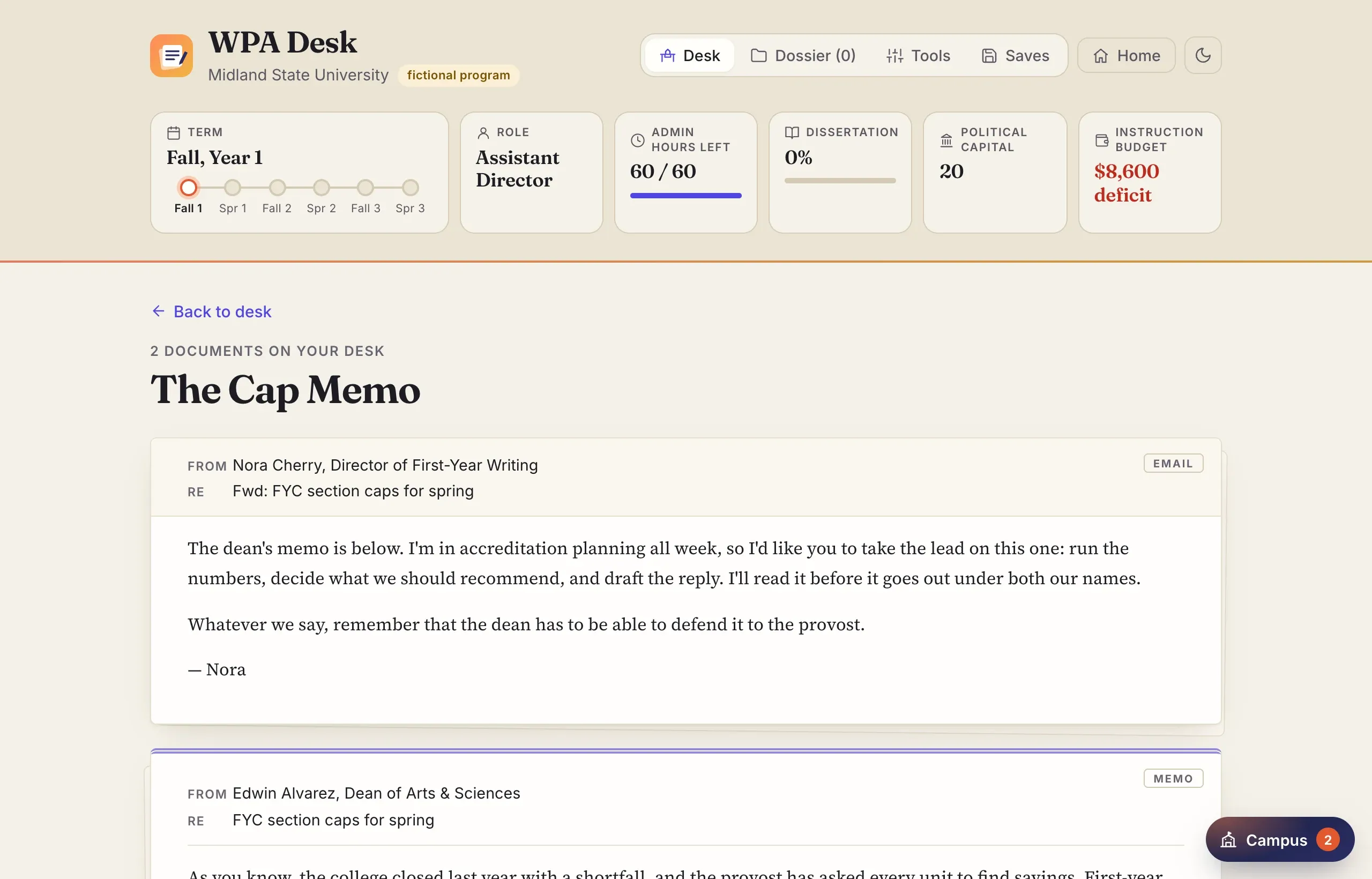
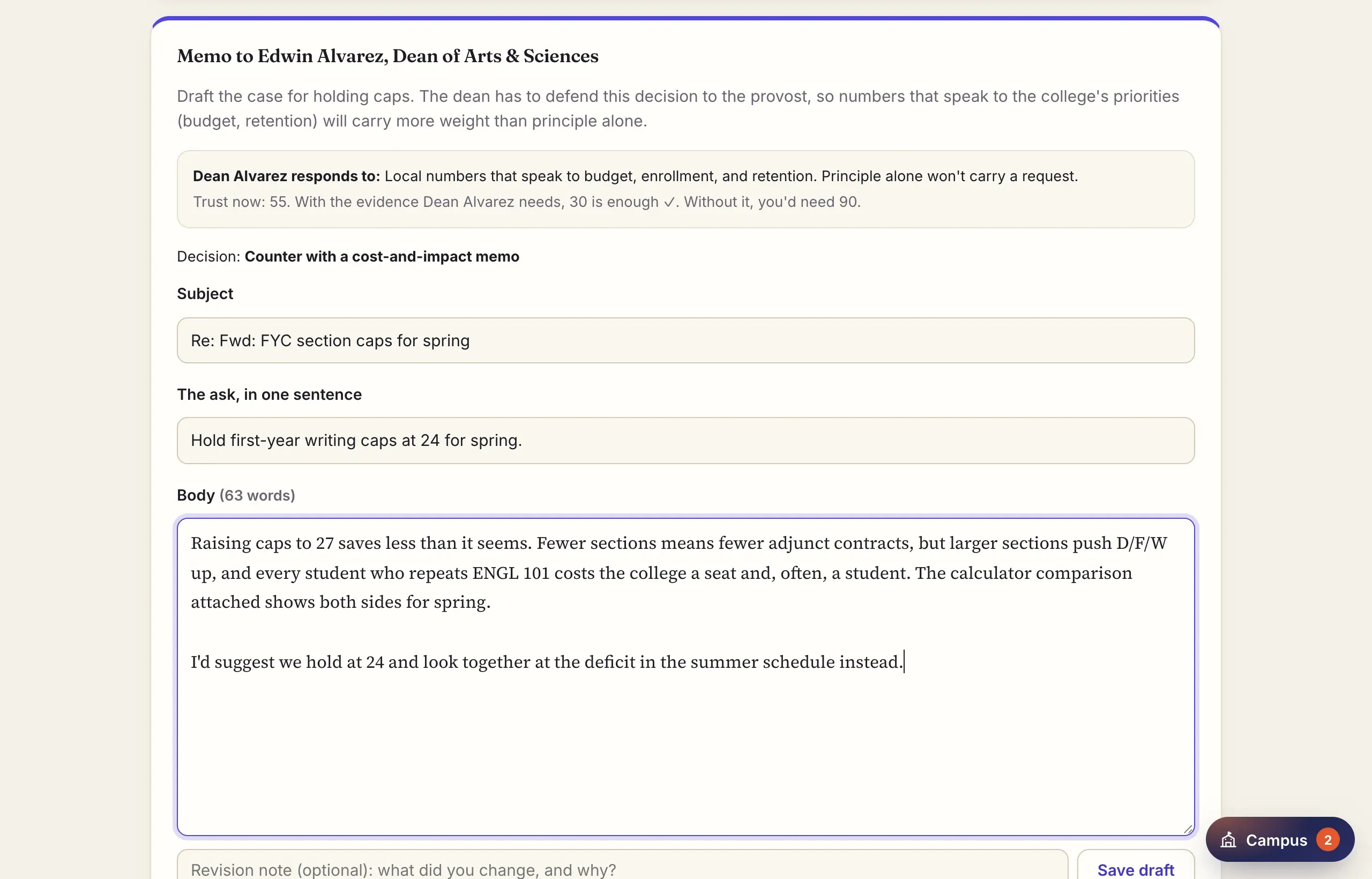
You respond the way a WPA would. You choose a course of action, and often you write the memo that makes the case. Whether a memo persuades someone depends on the evidence you attach and how much they trust you, not on a grade for your prose. The dean responds to local numbers about budget and retention, and other people respond to other things.
The tools are real tools
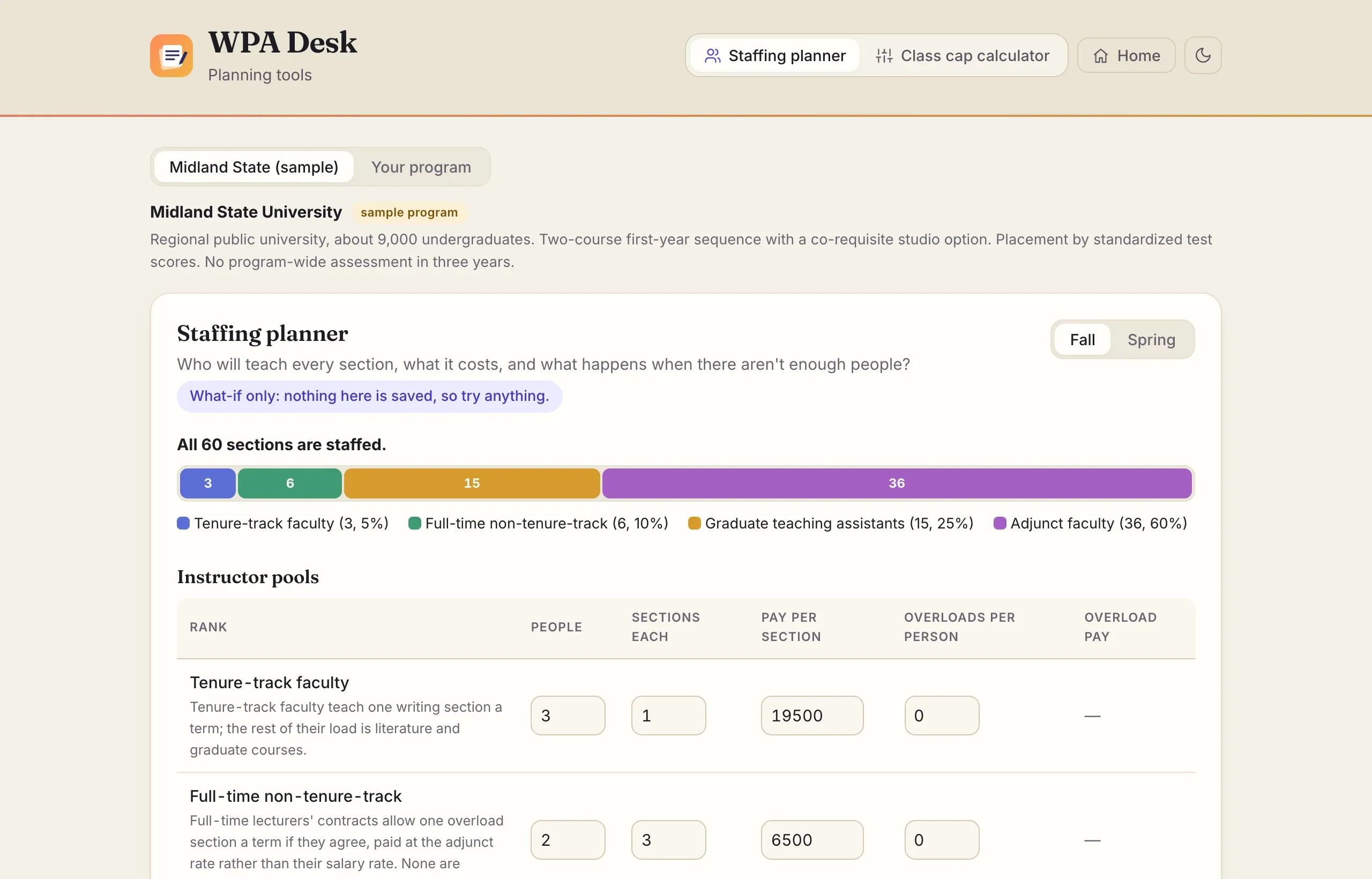
To make that case, you use the same tools a working WPA would. The class cap calculator shows what happens to sections, staffing, cost, and D/F/W rates if caps change. The staffing planner shows who will teach every section and what happens when there aren’t enough people. The results you get can go into a memo as evidence.
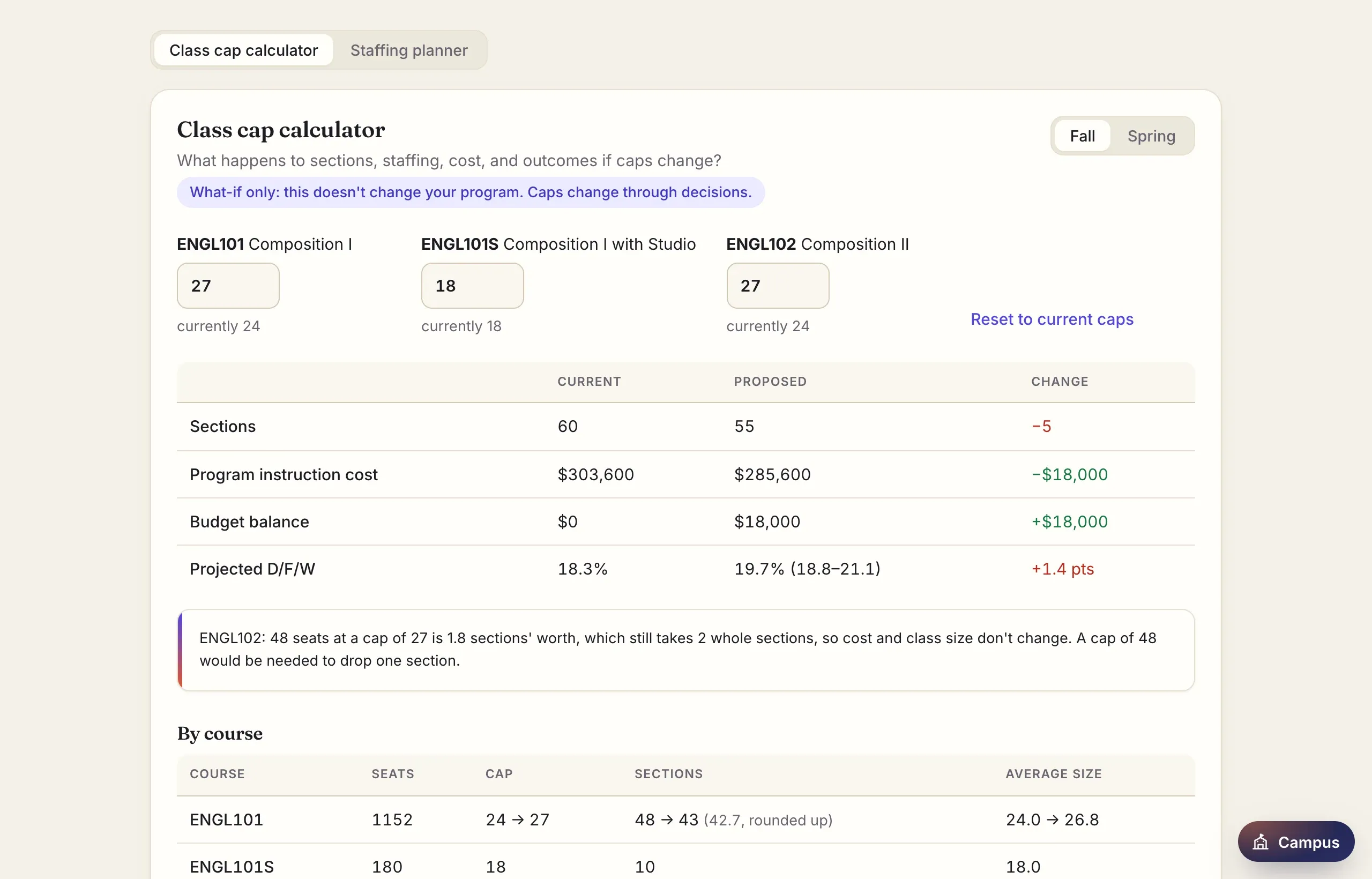
The numbers behind the model are labeled with how confident they are and where they come from, and projections are shown as ranges, not single numbers. Midland is fictional, but the relationships it runs on aren’t.
The tools also work without the game. Choose Plan on the start screen to open the staffing planner and cap calculator by themselves, with charts of who teaches and how much feedback each instructor carries. They run on Midland’s numbers or on your own: enter your program’s courses, seats, caps, D/F/W rates, instructors, pay, and budget, and replace any of the model’s assumptions with your local data. Your program stays in your browser, and you can export it as a file to keep or share.
Consequences
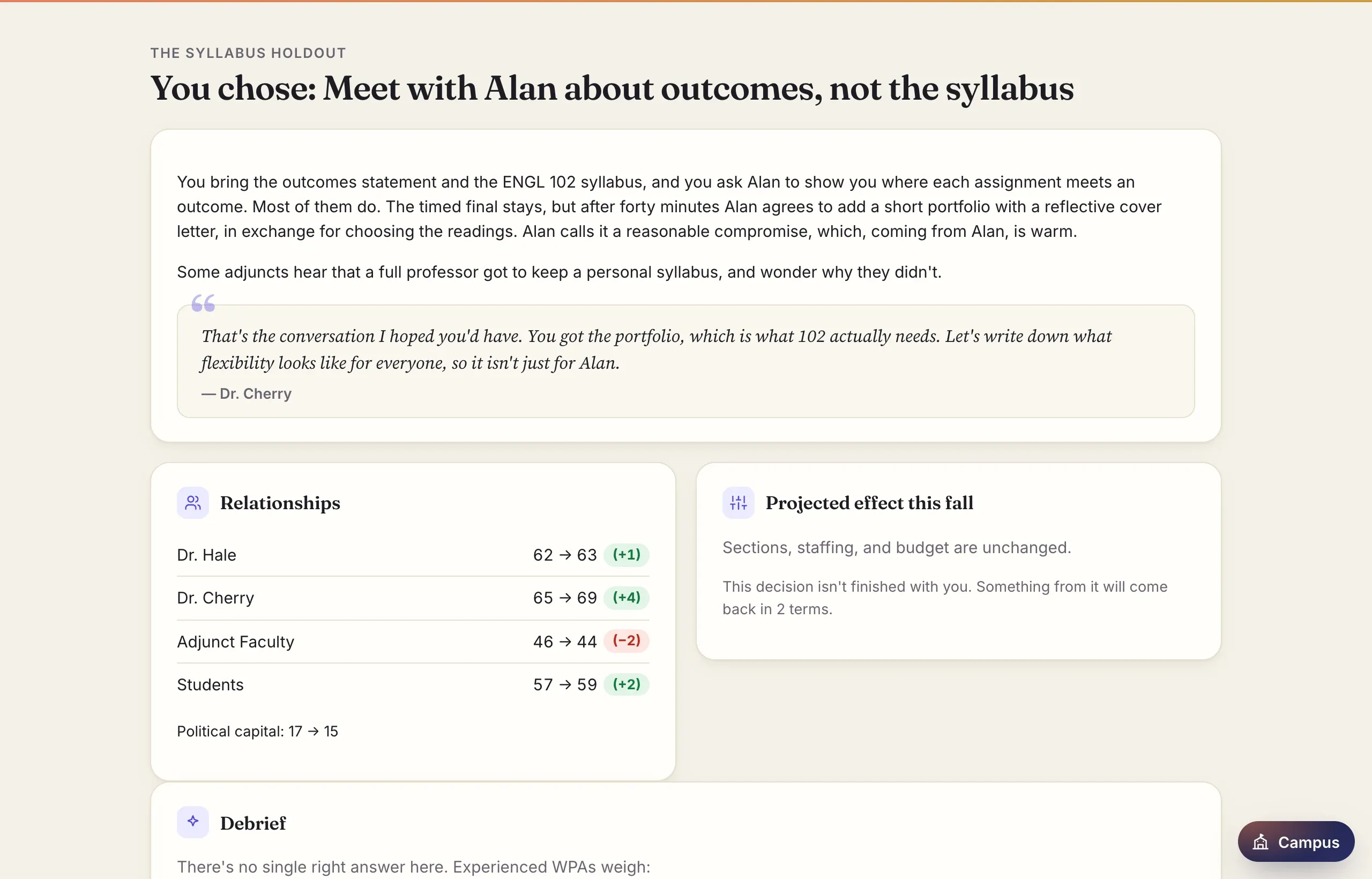
After each decision, you see what happened, how people read it, and what changed in your relationships and your program. Some consequences don’t show up until a later term. The game never tells you there was one right answer.
At the end of each year you contribute to the annual report. In your third year you write the whole thing, and it becomes the capstone. The ending looks back across all three years, your program’s results, your relationships, the commitments you kept, and your dissertation, and it explains where you land on the job market and why.
The campus
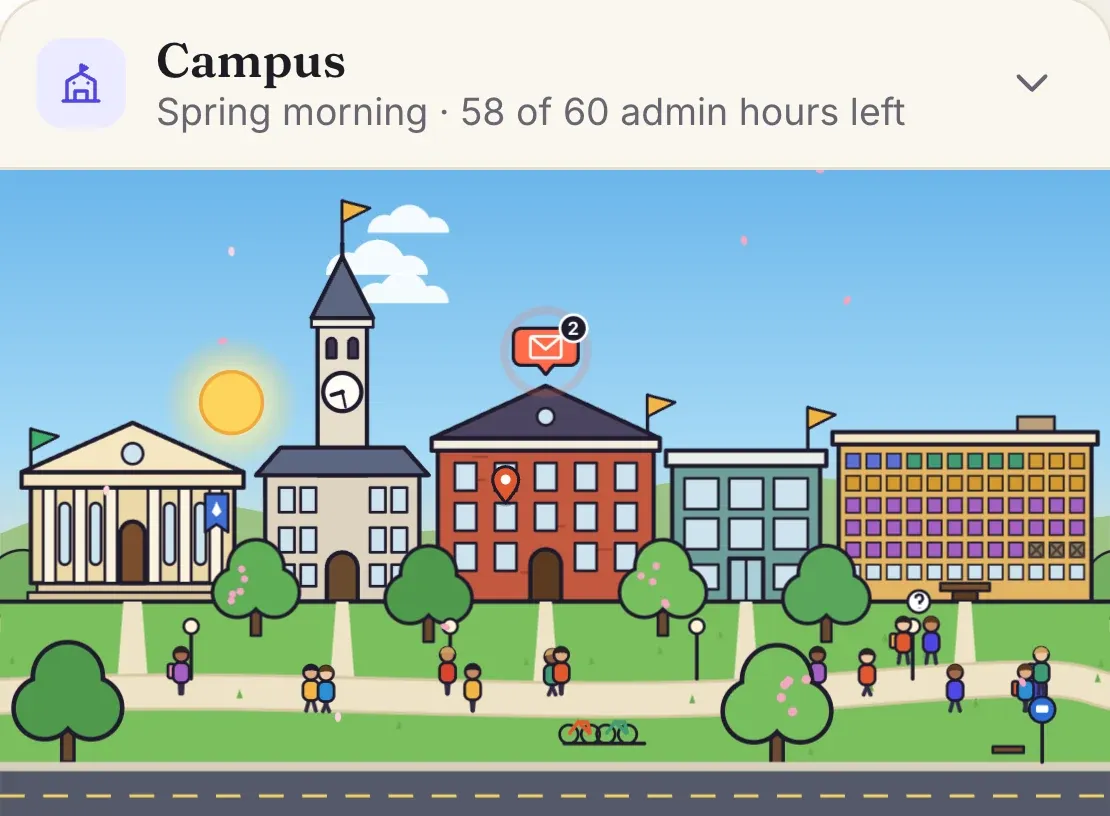
A live map of Midland State sits in the corner of the desk. It draws the numbers on the desk as a place.
The time of day is your admin time. Each term starts at 8 a.m., the sun moves as you spend hours, and it’s 10 p.m. when they’re gone. If you keep working past that, yours is the only lit window on campus.
The buildings hold the people you answer to. The dean is in Arts & Sciences Hall, the provost’s office and the Faculty Senate are in Old Main, and Humanities Hall has the chair, Dr. Cherry, the graduate TAs and adjuncts, and your own office. Envelopes float over whoever is waiting on you, and a flag on each building shows the weakest relationship inside.
Founders Hall’s windows are the term’s sections, colored by who teaches them. A section with no instructor goes dark red, and a cancelled one is crossed out. Students who couldn’t get a seat wait outside on the quad. If instructor morale falls too far, someone carries a box to the bus stop. At the end of the third year, the quad holds commencement.
Tap a building to see who’s inside, how much they trust you, and what the numbers mean there: the budget at the dean’s office, political capital at Old Main, your dissertation at the library. Anything waiting on you opens straight from the map. It starts folded into a button in the corner, with a count of what’s waiting, and opens over the page.
For instructors
Students can export their sessions as files, and an instructor review mode opens a whole class’s files at once, read-only, with an overview you can download as a spreadsheet. Reports are for reflection and discussion, and the game never scores them.
Teaching with WPA Desk has the rest: how long it takes, where the scenarios fit in a seminar, discussion questions, and how to collect and review students’ work.
Where it’s going
WPA Desk is early and changing quickly. I plan to keep adding scenarios, tools, and features. Next on the list are settings an instructor can make for a class (which scenarios, how hard, different starting conditions), comments that students can see in their case files, and characters who remember what you told them last year.
Further out, I’d like WPA Desk to become a tool for real WPA work, which is the reason the training tools are built as real tools in the first place. That has started: the planning tools already run on your own program’s numbers. Next for them are a class size explorer, a budget breakdown, and plans you can compare side by side and print for a memo, and later, importing a section schedule instead of typing it in.
Borrowing it
You’re welcome to use WPA Desk in a course, fork it, or adapt it, with credit. The code is under the GNU AGPL 3.0. The scenarios, characters, and other writing are under CC BY-NC-SA 4.0, the same license as my teaching materials. If you want to use it in a way those licenses don’t cover, get in touch.
Your progress saves in your own browser, and nothing you write in WPA Desk is sent to me or anyone else. Export a copy from the Saves tab to keep one or to hand it in.
Log
- September 27, 2026: First version: the program model, the standard three-year arc, twelve scenarios, the cap calculator and staffing planner, annual reports, endings, and instructor review.
- September 30, 2026: Gave the cast cartoon portraits.
- October 3, 2026: Licensed the project, added reminders to export your saves, and wrote this page.
- October 6, 2026: Added the campus map.
- October 8, 2026: Wrote a guide for instructors and linked it from instructor review. Added a start screen (Play, Plan, Teach) and opened the planning tools on their own, with charts, on the sample program or your own program’s numbers. Gave the header light and dark themes, and made the campus map start closed and float over the page.
Keep talking
Join the conversation
Replies happen on X. If you’d rather say something privately, email me. I read everything.